Athlif
Plan your training. Log every set. Follow it on your phone or watch.
Today
Ready for your next session?
Open Athlif and the next workout from your programme is waiting, with its time estimate and the muscles it trains. Start it on your phone or on your watch.
- A programme built around your goal and the days you can train
- A week strip that counts full and partial workouts
- An empty workout when you just want to log
Why Athlif exists
Built by a lifter who got fed up.
Every workout app I tried got in the way. A social feed I never asked for. Ads between sets. Watch apps that felt like an afterthought. Ugly, crowded screens, and AI pushed in my face at every turn.
So I built my own, and taught myself to code along the way. It took a lot of trial and error, in the gym and at the keyboard, to get it to where it is today.
Athlif is the app I wanted: open it, see the next workout, log every set and get on with it. If that is what you want too, it is for you.
Dawid, founder
Heavier.
Illustrative line, not user data: 5 kg more each session for twelve sessions. In the app, every set shows what you lifted last time.
In the session
Every set, one tap.
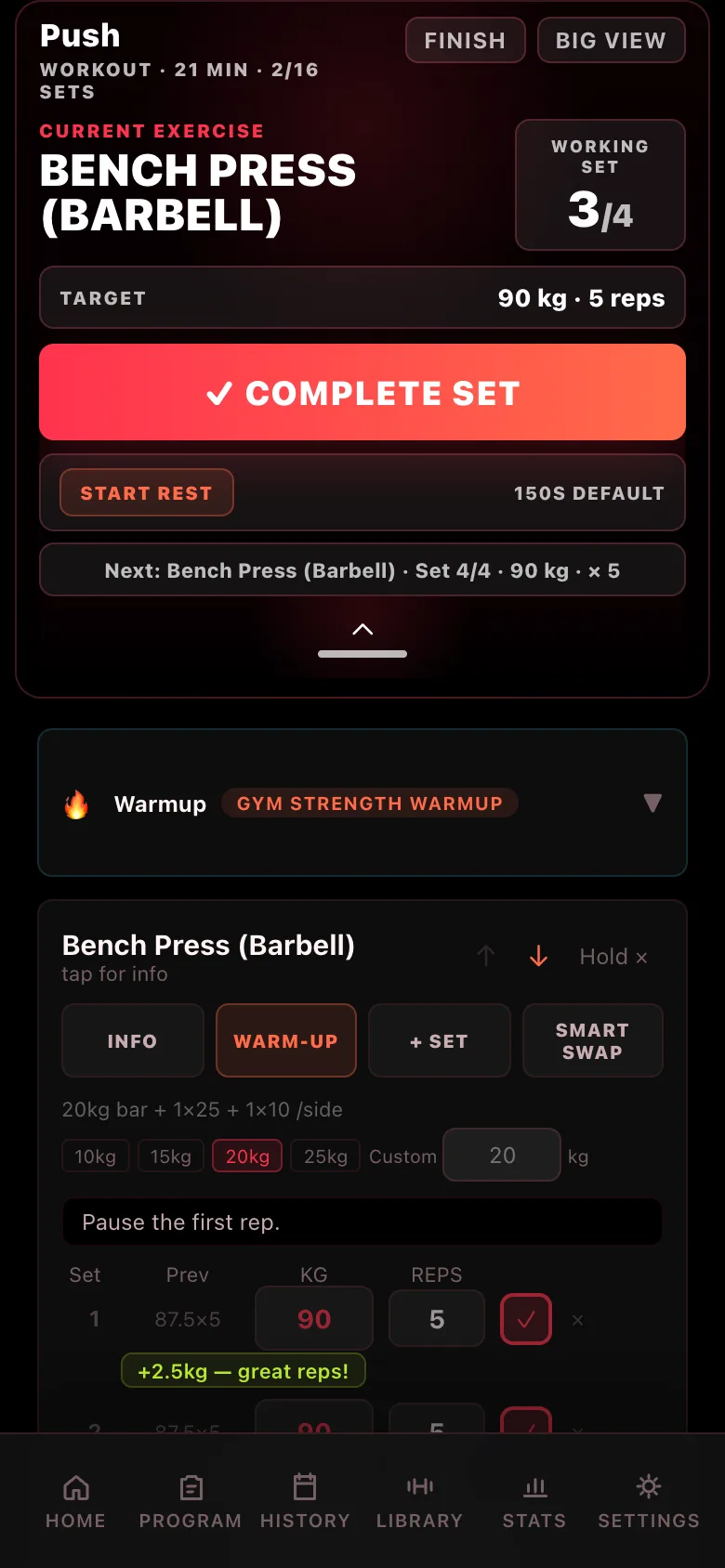
Big view keeps the set you are on front and centre, large enough to read with the phone on the floor. Weight, reps, rest and Set completed are each one tap away, so nothing pulls you out of the workout.
Log the setSet 3 of 4, 90 kg for 5. Adjust with the steppers, then tap Set completed.
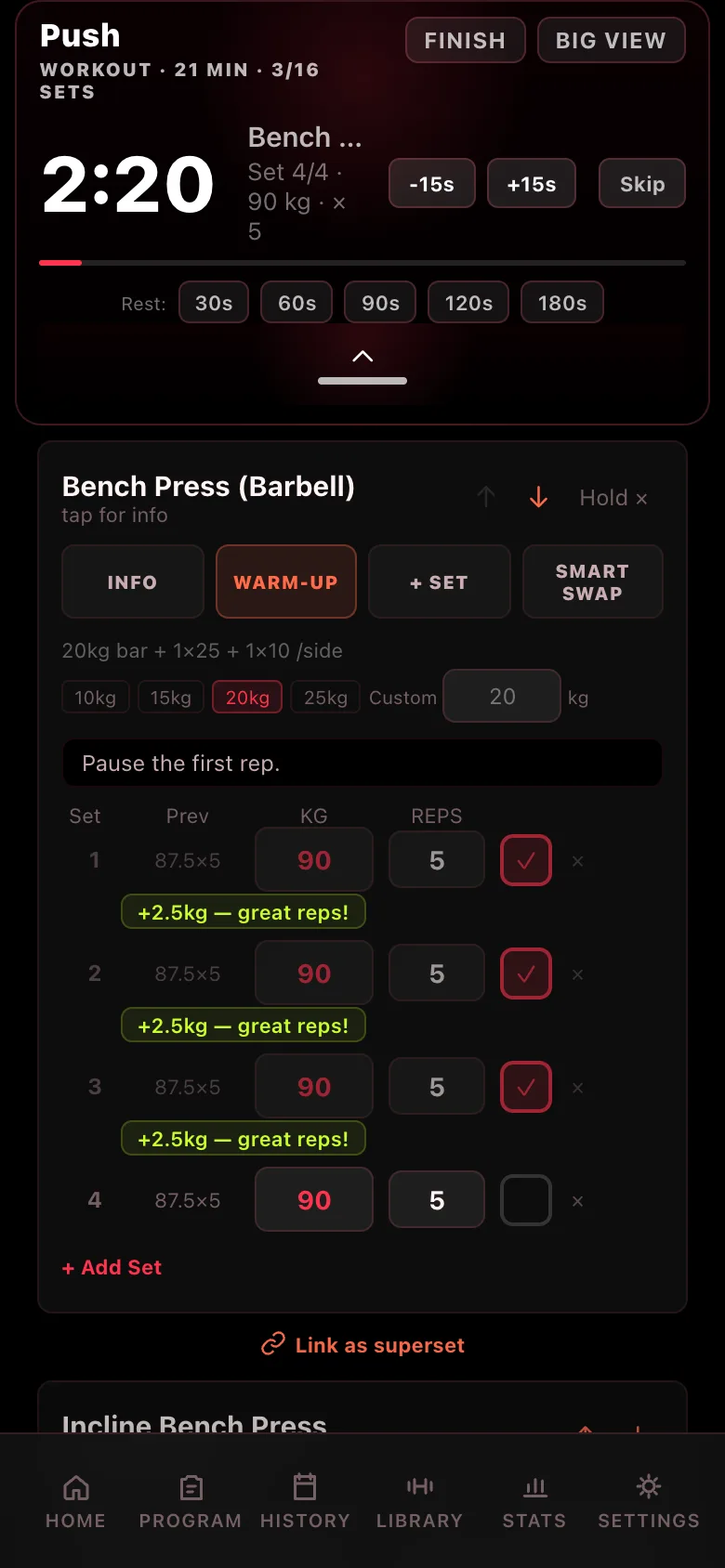
Plate calculator
Load the bar.
No maths between sets. During a workout, every barbell lift shows what goes on each side for your next set, and you can switch the bar weight right there. Try it here: this uses the same bar weights and plates as the app.
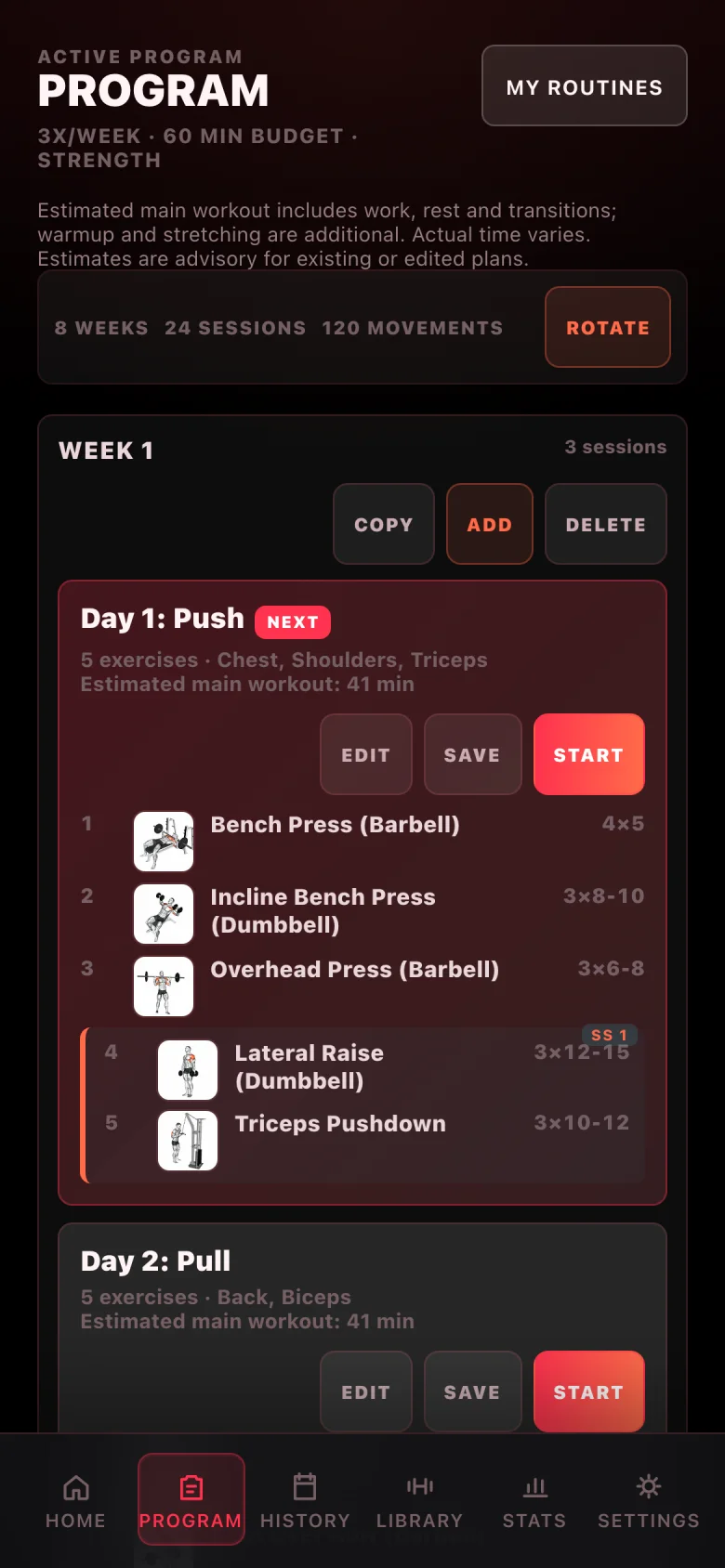
Pick a goal. Pick your days. Get a plan.
Athlif builds a split around your goal and the days you can train, pairs supersets, and offers a warm-up before every session. Edit any day, copy a week or rotate the plan, and it keeps up.
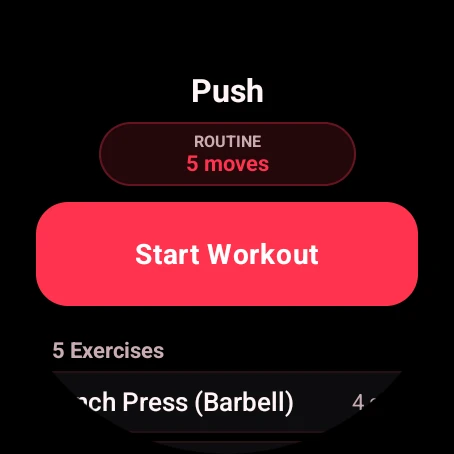
Your watch keeps pace with your phone.
With your phone nearby and the workout running on both, log each set on whichever is closer to hand and the other keeps up. Your plans and routines are on the watch too. If the connection drops for a moment, the watch holds on to what you logged and sends it when they reconnect.
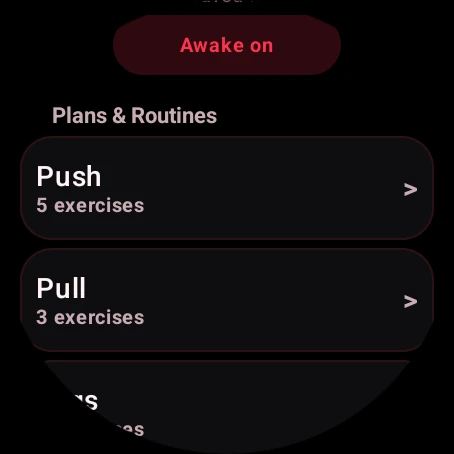
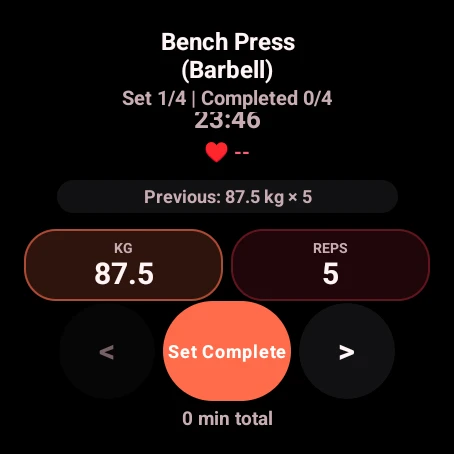
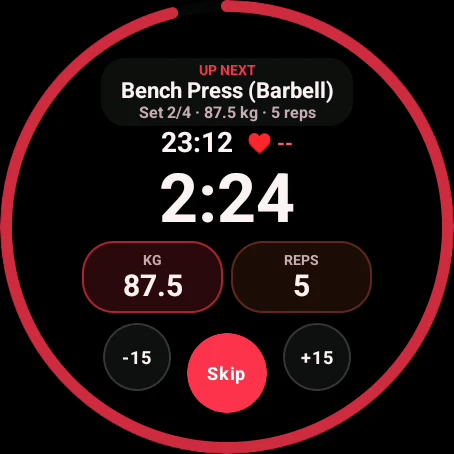
Real watch screens · sample data
Progress
Every session on the record.
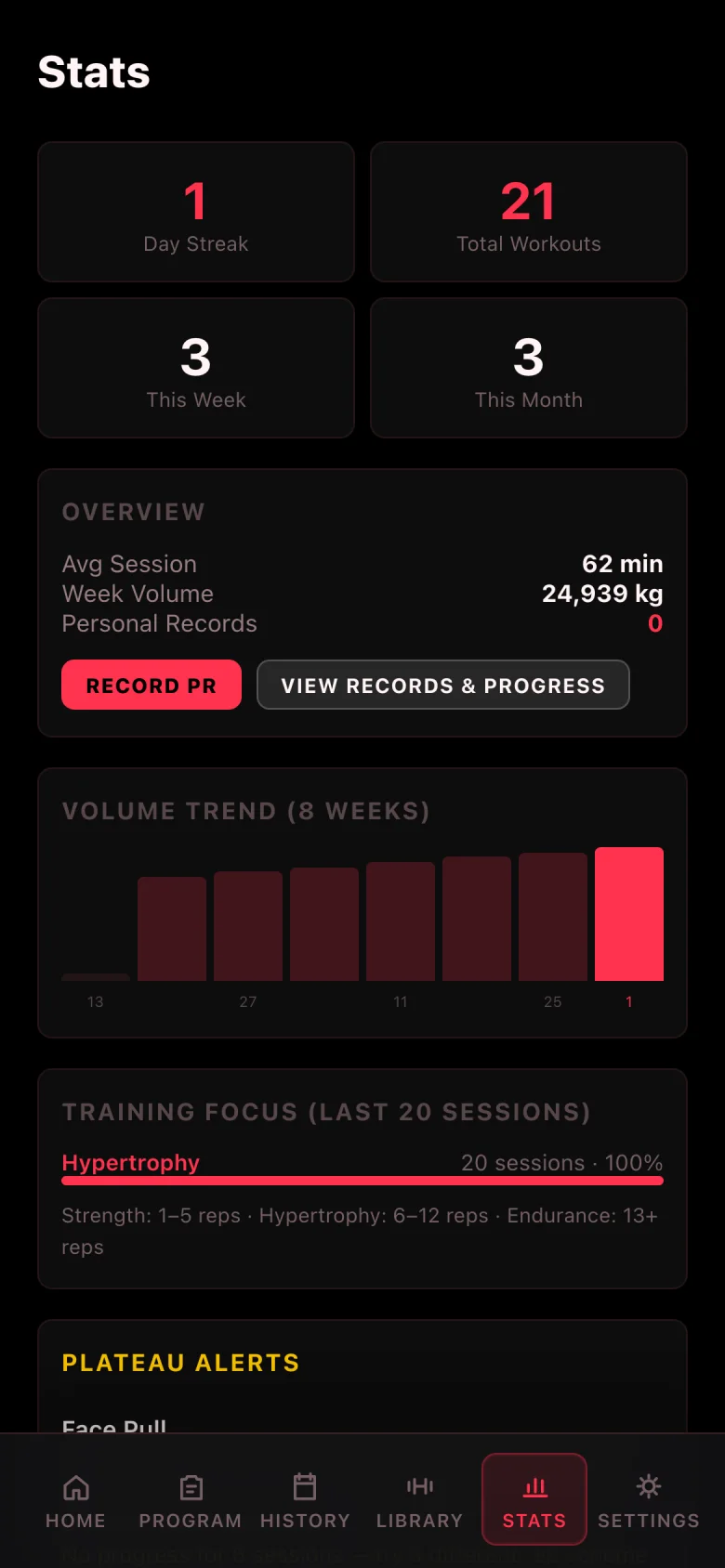
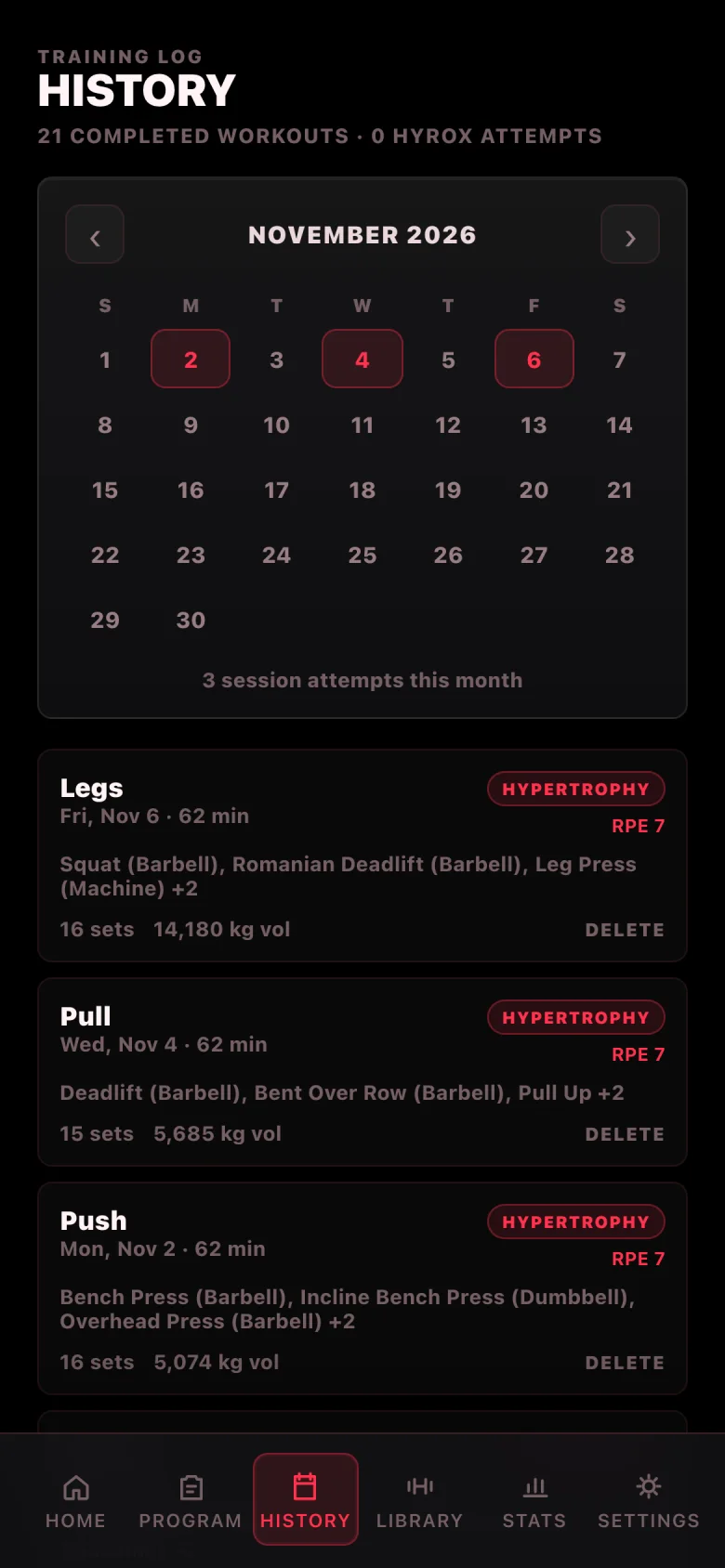
History lays out every workout by day with its sets and volume. Stats track your streak, weekly volume and training focus, and Athlif marks a personal record when you earn one.
- Volume trend across the last eight weeks
- Personal records you can review and add to
- Opt-in cloud sync and backups you control
AI if you want it. None if you don’t.
Planning and logging work without an AI account or key. Switch it on when you want help. Leave it off and nothing is missing.